Dump it all.
Walk away.
Come back to a map.
Type, paste, upload or just talk. Map My Thoughts sorts the chaos into a living 3D mind map, asks the questions you forgot to answer, and hands you a finished Project Bible.
From brain dump to Project Bible
in three moves
Pour it in
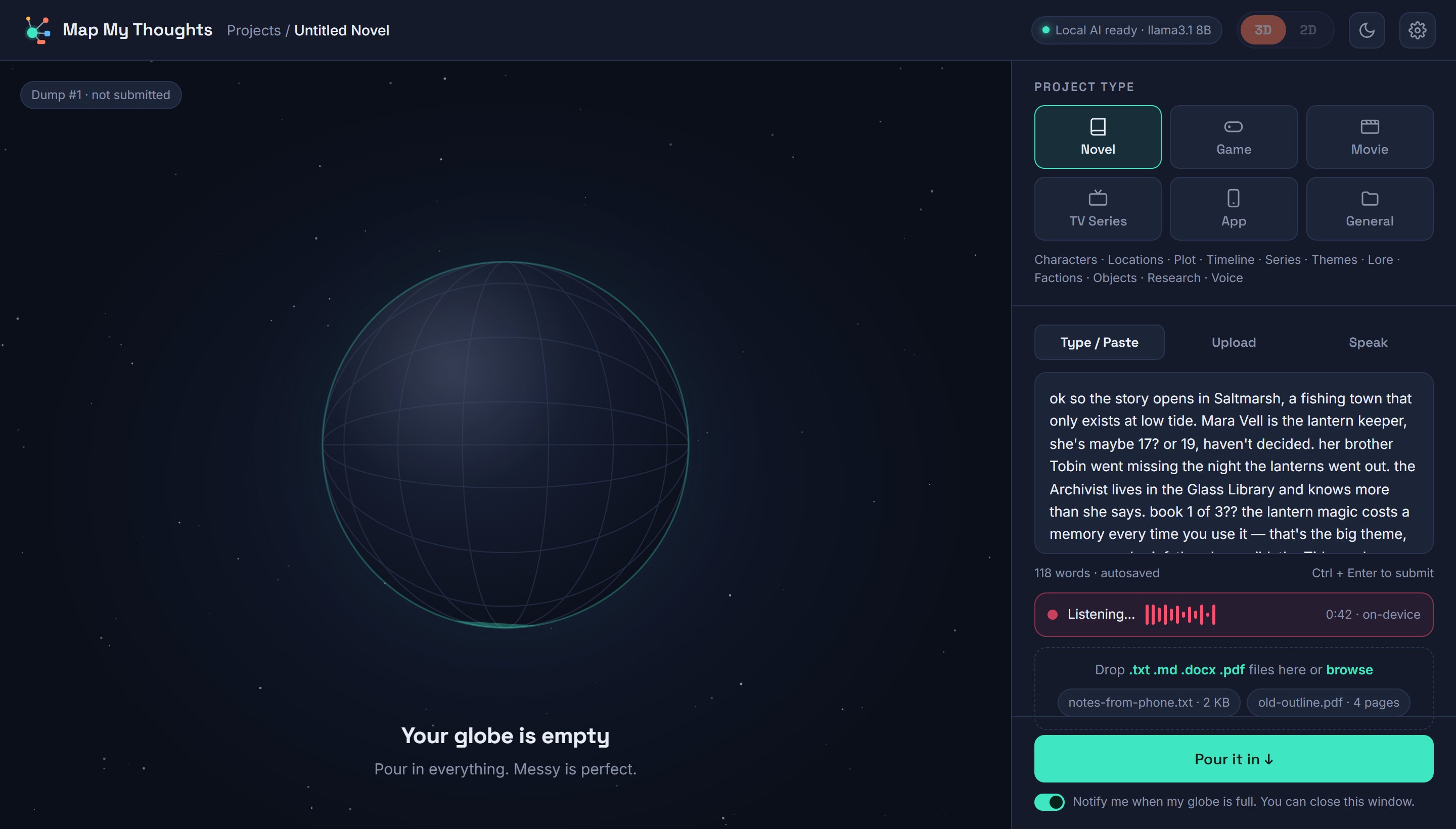
Type, paste, drop in a .docx or PDF, or press the mic and talk. Half-sentences and question marks welcome.
Walk away
The globe fills as your thoughts are read, then strings shoot out to characters, places, plot and more. You'll get a ping when it's done.
Fill the gaps, export
Answer the questions it found, now or later. Fix contradictions. Export a Project Bible with your raw dumps kept in the appendix.
One place for every idea that won't sit still
Pick a project type and the map starts with the right categories. Add your own any time.
Novelists
Turn notes from the shower, the car and 2 a.m. into a story bible that catches plot holes before your readers do.
Screenwriters & TV
Map season arcs, episodes and characters. Keep every timeline straight across a whole series.
Game designers
Connect mechanics, levels, story and economy so every system has a reason to exist.
App founders
Go from "I have an idea" to features, users, screens and risks you can hand to a developer.
ADHD brains
Get it out of your head and move on. Nothing is lost, nothing is judged, and the map waits for you.
Any big project
Events, research, a renovation, a business plan. If it lives in your head, it can live on a map.
A thinking partner that never loses the thread
Speak your dump
Talk it out. Speech is turned to text right on your computer.
Questions that matter
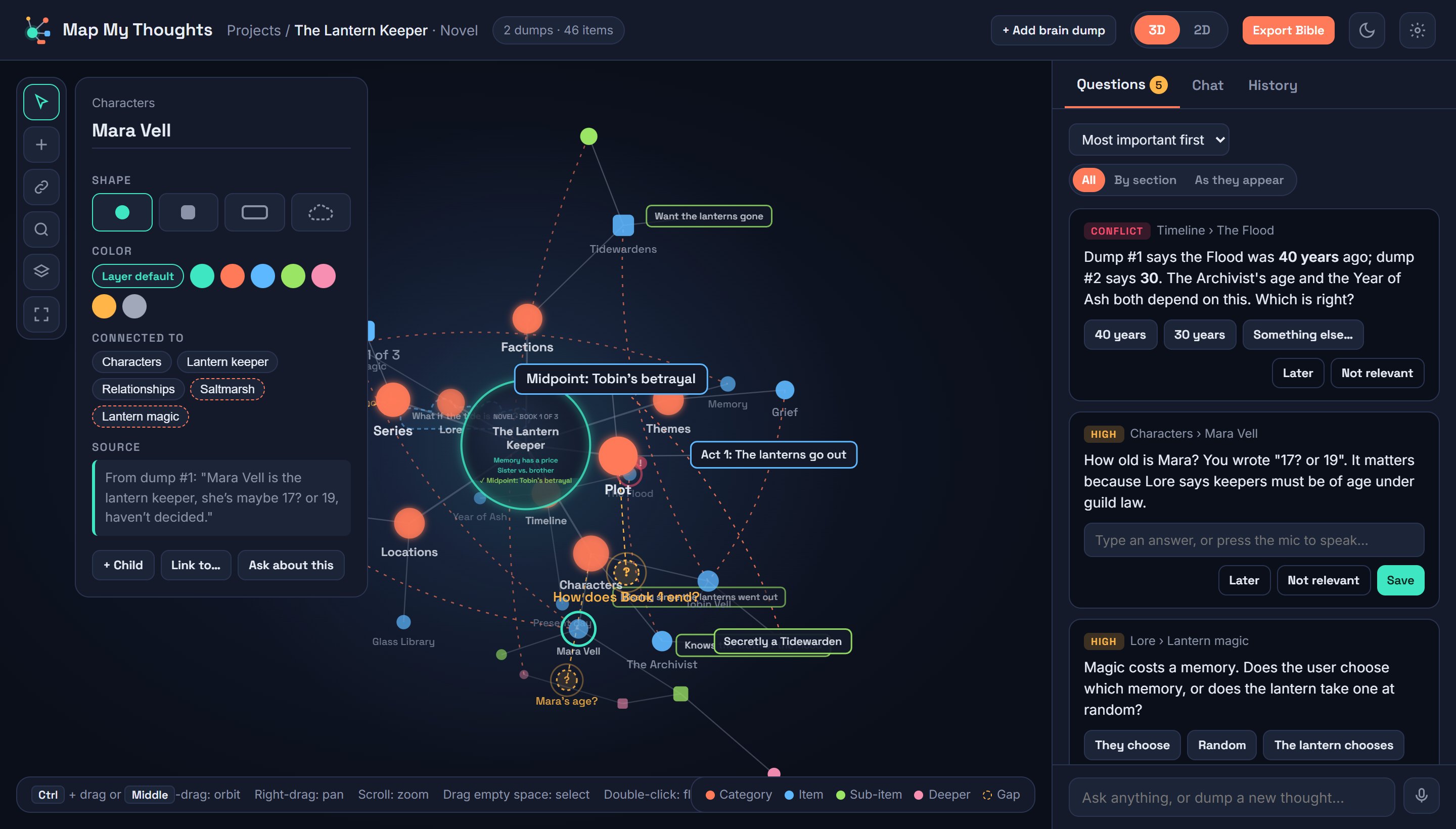
Gaps glow on the map and wait in a side panel, most important first.
Conflict checker
Change a date in one dump and it checks the whole story, then asks you.
3D and 2D
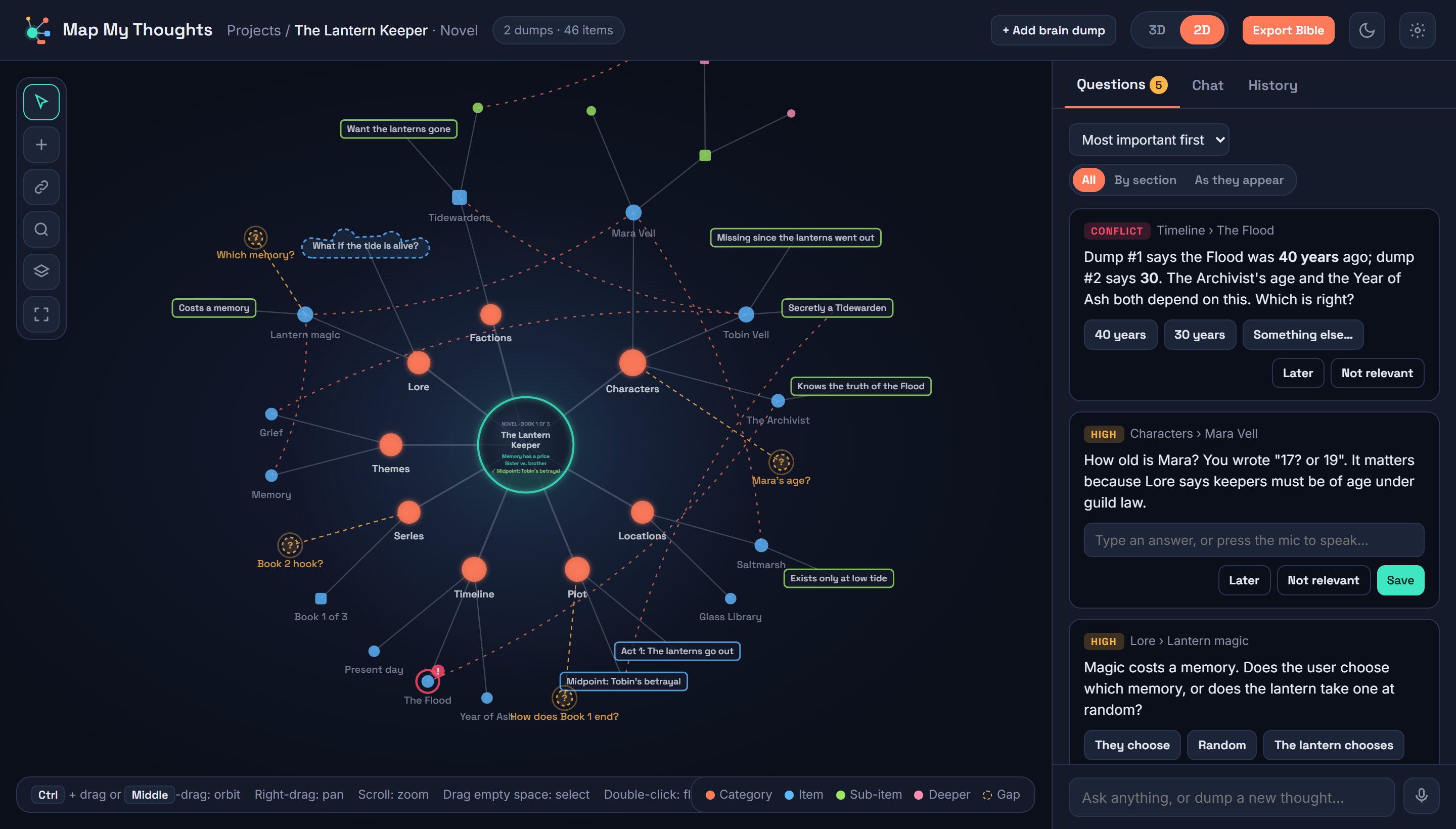
Orbit your ideas in 3D, or flatten them into an endless 2D universe.
Your shapes, your colors
Circles, squares, cards and clouds for what-ifs, with a color for every layer.
Link anything
Any idea can connect to any other. Busy ideas grow bigger on the map.
Saves where you work
Your computer, Google Drive, or your own knowledge vaults. It always asks before writing.
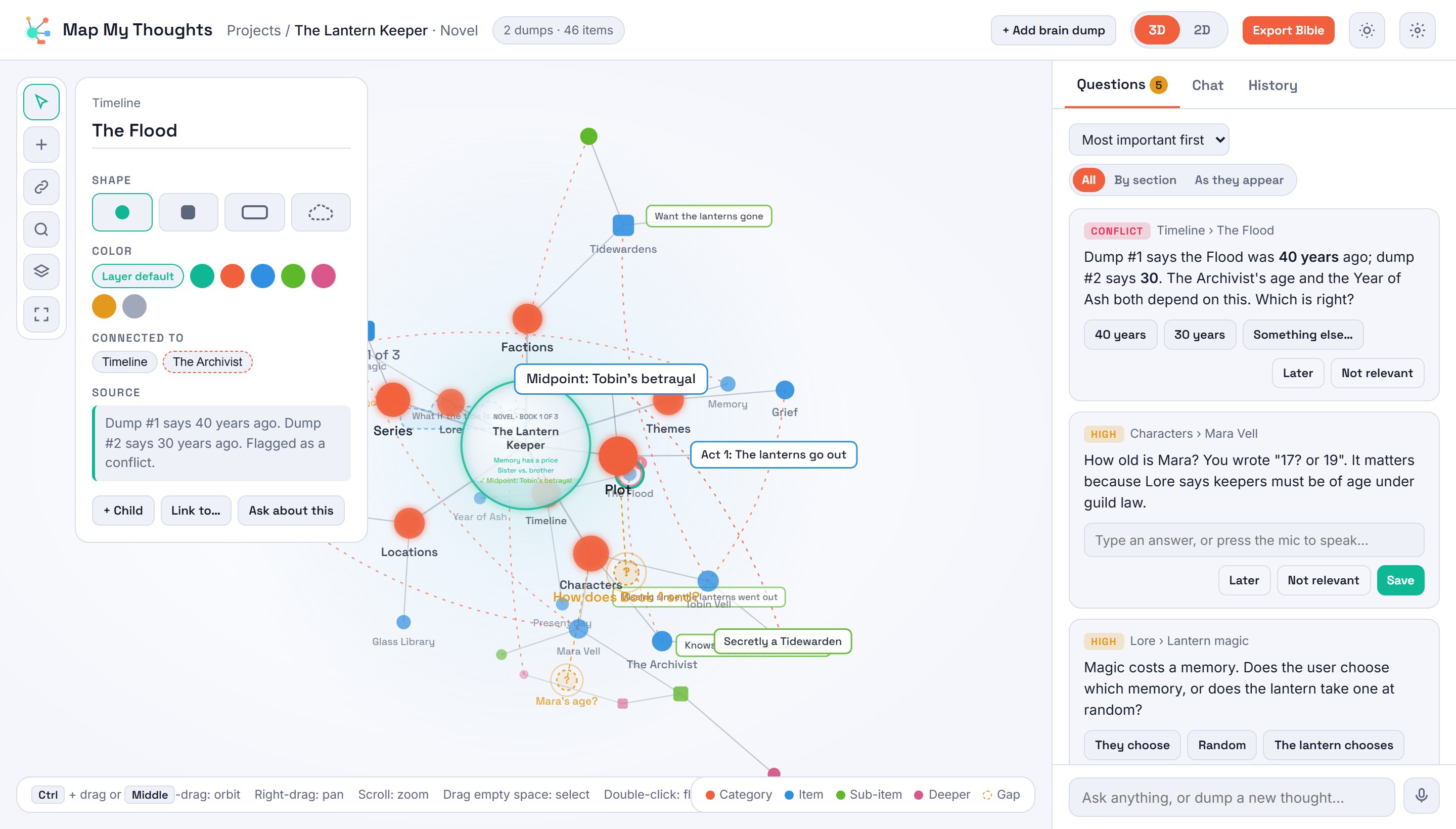
Light & dark
Easy on the eyes at noon or at 2 a.m.
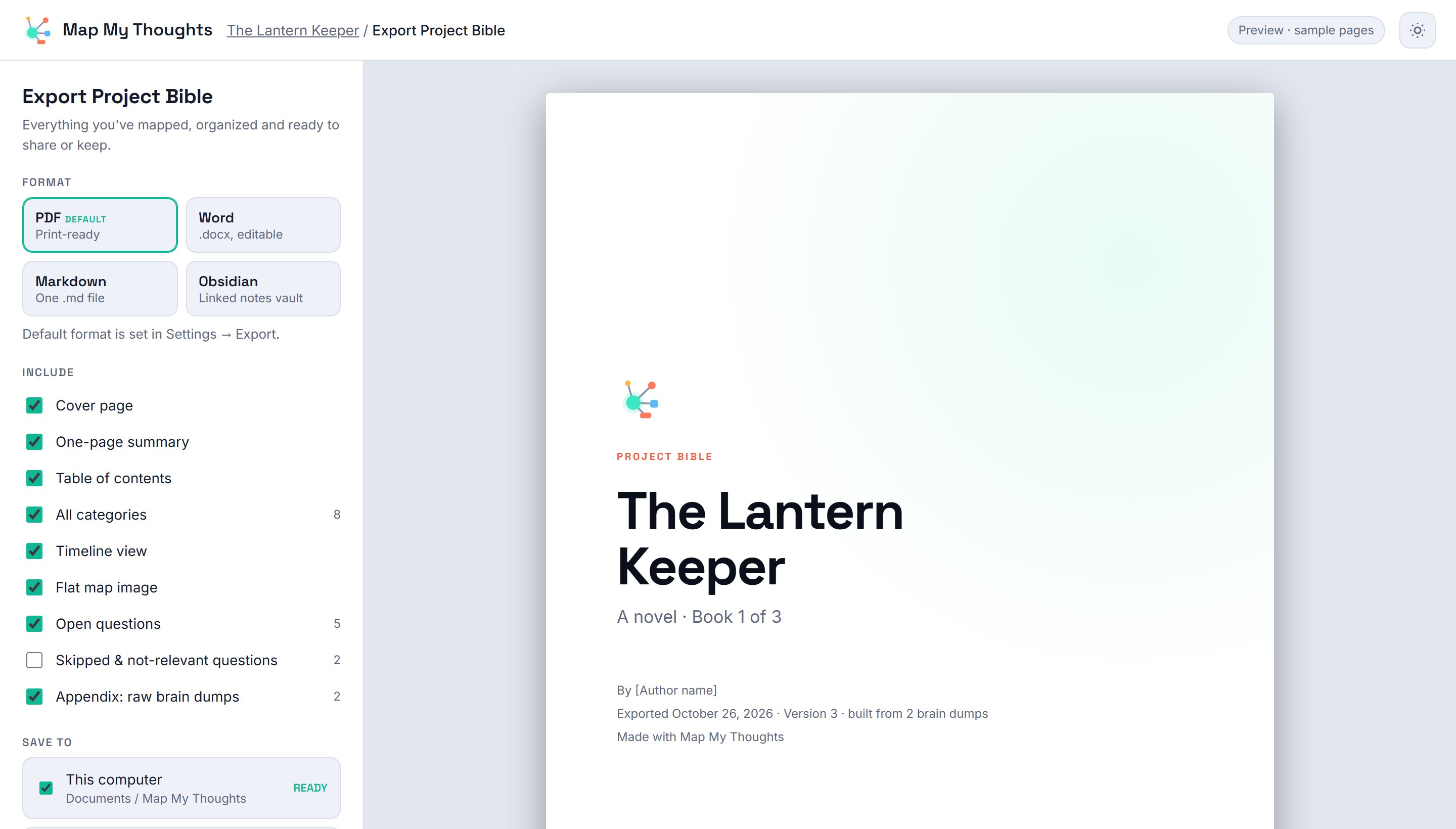
Cover, one-page summary, every category, timeline, map image, open questions, and your raw dumps in the appendix. PDF, Word, Markdown or Obsidian.
Your ideas never leave your computer
The AI runs on your own machine. No one is training on your story, and there are no AI bills.
One price. Yours to keep.
- Use it on 2 computers
- Unlimited projects and brain dumps
- All six project types
- 3D + 2D maps, question agent, conflict checker
- Project Bible export: PDF, Word, Markdown, Obsidian
- Speech-to-text dumps
- Mac and Windows
Be first in line
Join the launch list. We'll email you when Map My Thoughts is ready.
Questions, answered
Do I need to be technical?
No. Install the app and it walks you through setting up the AI with one click. After that you just type or talk.
What computer do I need?
A Mac or Windows PC from the last few years. 16 GB of memory is recommended for the smoothest experience; 8 GB works, just more slowly.
Is my writing used to train AI?
No. The AI runs on your computer and your projects stay there unless you choose to save them somewhere else.
Is it only for novels?
No. Pick Novel, Game, Movie, TV Series, App or General Project, and add your own categories any time.
How many computers can I use it on?
One purchase covers 2 computers, for example your desktop and your laptop.
Can I add more later?
Yes. Add as many brain dumps as you like. Each one fills the globe again and new ideas join the existing map.
Can it save to my Obsidian vault or Google Drive?
Yes. Export as Obsidian notes, or connect Google Drive or your own vault. It always shows you what it will write and asks first.
What if it's not for me?
Email us within 30 days of purchase for a full refund. See the Refund Policy.
Is there a subscription?
No. It's a one-time purchase.